
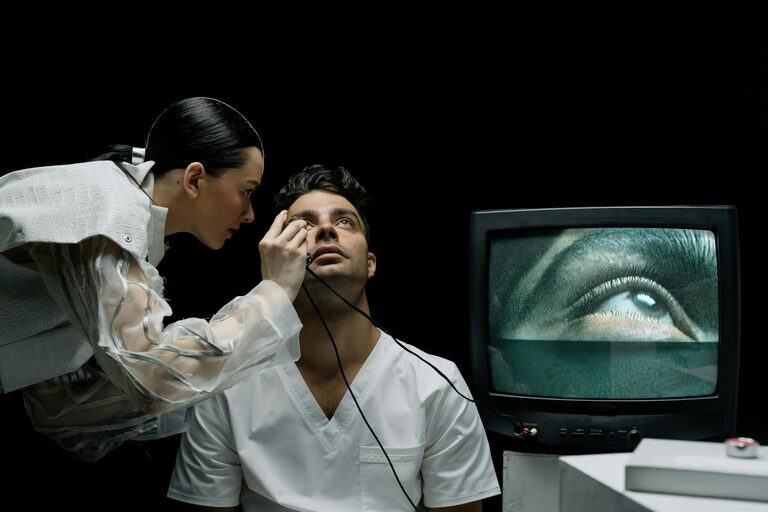
Spending long hours in front of screens is a reality for many of us, whether for work, study, or leisure. While technology keeps us connected and productive, prolonged screen time can lead to eye discomfort and strain. Protecting your eyes during screen use is essential to maintain your vision health and comfort.
In this post, we’ll explore practical tips to care for your eyes and reduce the risks associated with extended screen exposure.
Understanding Digital Eye Strain
Before diving into eye protection methods, it helps to understand what happens when you spend too much time looking at screens.
Digital Eye Strain (also known as Computer Vision Syndrome) refers to a group of symptoms including:
– Dry eyes
– Blurred vision
– Headaches
– Eye fatigue or discomfort
– Neck and shoulder pain
These issues arise because screens require intense focus and often cause us to blink less frequently, leading to dryness and irritation. Poor lighting and improper screen positioning can also contribute.
Tips to Protect Your Eyes While Using Screens
1. Follow the 20-20-20 Rule
One of the easiest and most effective strategies is the 20-20-20 rule:
– Every 20 minutes, look at something 20 feet away for at least 20 seconds.
This helps relax the eye muscles and reduces fatigue caused by focusing on close objects for prolonged periods.
2. Adjust Your Screen Settings
Customizing your screen display can minimize strain:
– Brightness: Match your screen’s brightness with the surrounding light. Too bright or too dim screens can stress your eyes.
– Text Size and Contrast: Increase text size and choose high-contrast colors for easier reading.
– Color Temperature: Reducing blue light by using “night mode” or blue light filters in the evening can help prevent eye discomfort and support better sleep.
3. Maintain Proper Screen Distance and Position
Positioning your screen correctly plays a crucial role in eye comfort:
– Keep the screen about an arm’s length (20-28 inches) away from your eyes.
– Position the screen so that your eyes gaze slightly downward (15-20 degrees below eye level). This reduces exposure to air and helps keep eyes moist.
– Use an adjustable chair and desk to maintain good posture that supports neck and back health.
4. Blink More Often
When focusing on screens, people tend to blink less than usual, causing dry eyes. To counter this:
– Make a conscious effort to blink regularly.
– If you experience dryness, consider using lubricating eye drops (artificial tears) after consulting with an eye care professional.
5. Take Regular Breaks
Beyond the 20-20-20 rule, it’s important to take longer breaks to rest your eyes and body:
– Every hour, stand up and move around for 5–10 minutes.
– Use these breaks to stretch your neck, shoulders, and back as well.
6. Improve Room Lighting
Ambient lighting affects how your eyes feel while using screens:
– Avoid working in a dark room with a bright screen — this contrast can cause strain.
– Use soft, indirect lighting to reduce glare.
– Position screens to prevent reflections from windows or lamps.
7. Use Anti-Glare Screen Protectors or Glasses
Glare from screens can worsen eye strain:
– Consider matte screen protectors to cut down reflections.
– Some eyeglasses come with anti-reflective coatings that reduce screen glare.
8. Regular Eye Exams
Routine eye check-ups help detect any underlying issues early:
– Visit an optometrist once a year or as recommended.
– Discuss your screen habits and any symptoms you experience — your eye doctor can provide personalized advice or prescribe computer glasses if needed.
Creating Healthy Screen Habits
Protecting your eyes goes hand in hand with developing balanced screen habits:
– Limit recreational screen time when possible.
– Use apps or device settings to monitor and manage daily screen use.
– Encourage regular breaks, especially for children using digital devices.
Conclusion
Eyes are valuable and deserve care, especially in our digital age where screen time is unavoidable. By understanding the factors that contribute to eye strain and implementing these simple strategies, you can significantly reduce discomfort and protect your vision.
Remember to listen to your body — if your eyes feel tired, dry, or painful, take a break, adjust your environment, and seek professional advice if symptoms persist.
Taking small daily steps will help you enjoy technology while keeping your eyes healthy for the long run.